
Skip to Content
Restaurants ยท Retail ยท Clubs

One POS suite for every counter, kitchen and branch.

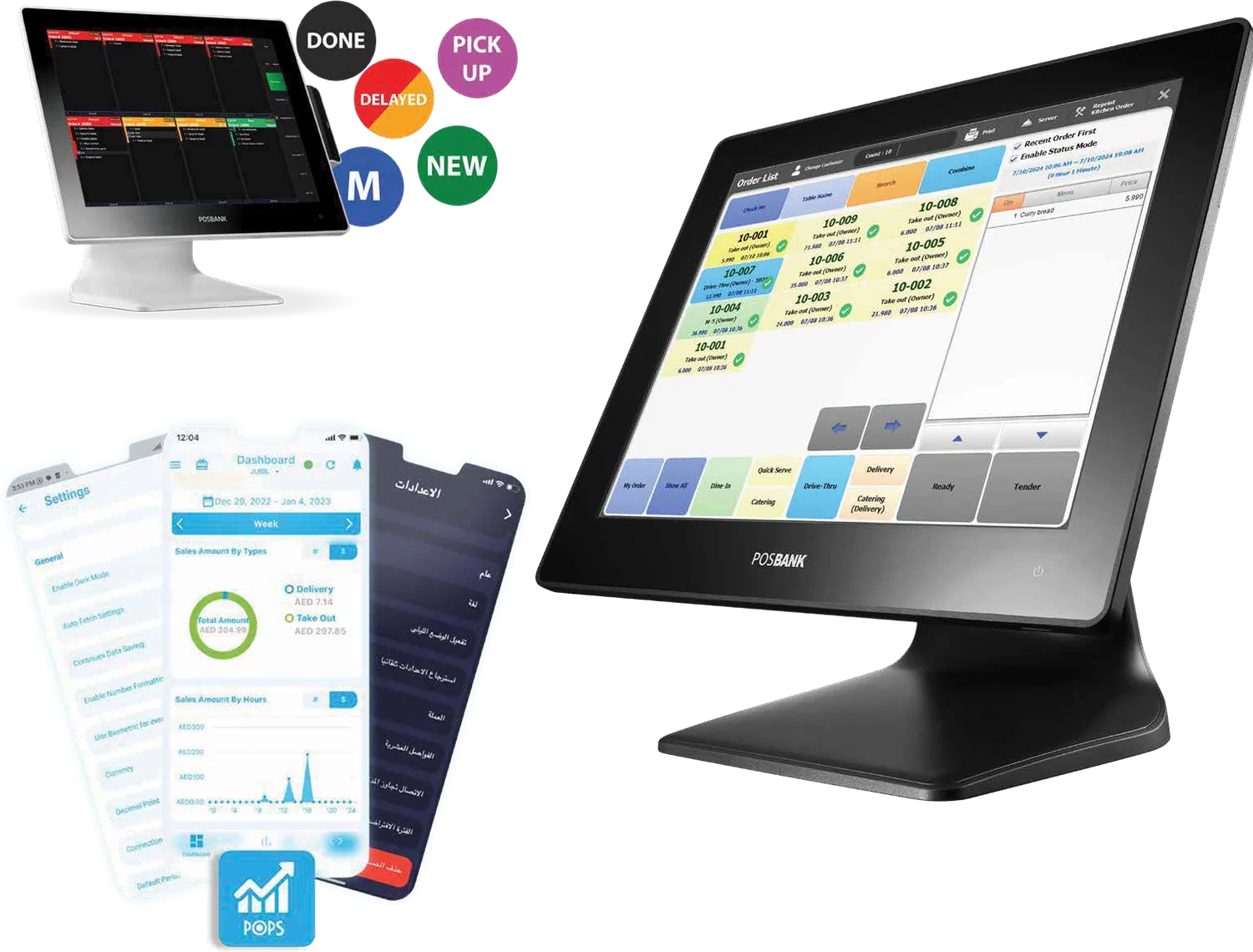
POPS by POSBANK is a complete point-of-sale suite with a dedicated edition for restaurants, retail, gyms and stadiums. Take orders at the counter or on a tablet, send them to the kitchen, show the queue to your customers and watch every branch from the cloud. Supplied, installed and supported by Mast IT in Bahrain.

POPS
Overview

Everything it does, in detail.

Every capability below is part of the platform you get on day one.

๐Ÿฝ๏ธ

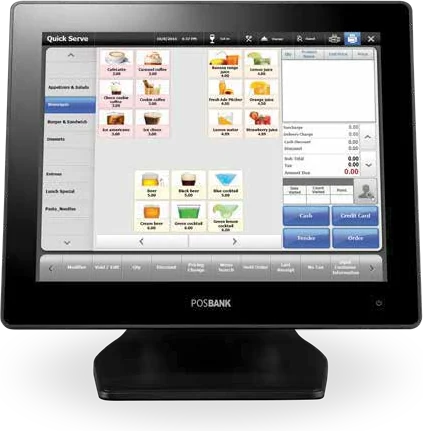
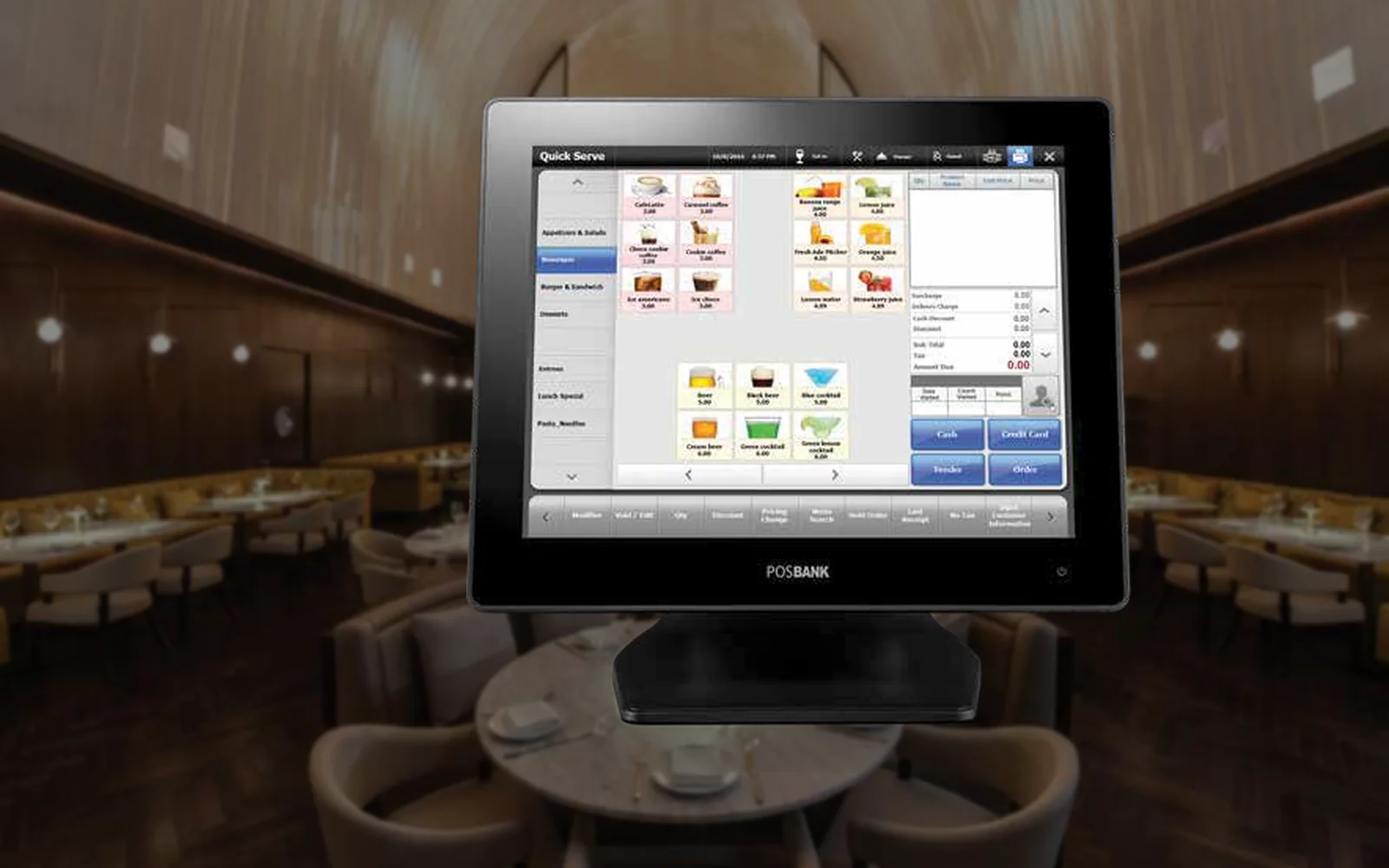
POPS Restaurant: dine-in and quick service

  • Table map with reservations and a waiting list
  • Split, merge and aggregate orders
  • Order by barcode, with your own menu buttons and layout
  • Staff schedules, time cards and payroll
POPS Restaurant: dine-in and quick service
๐Ÿ‘จโ€๐Ÿณ

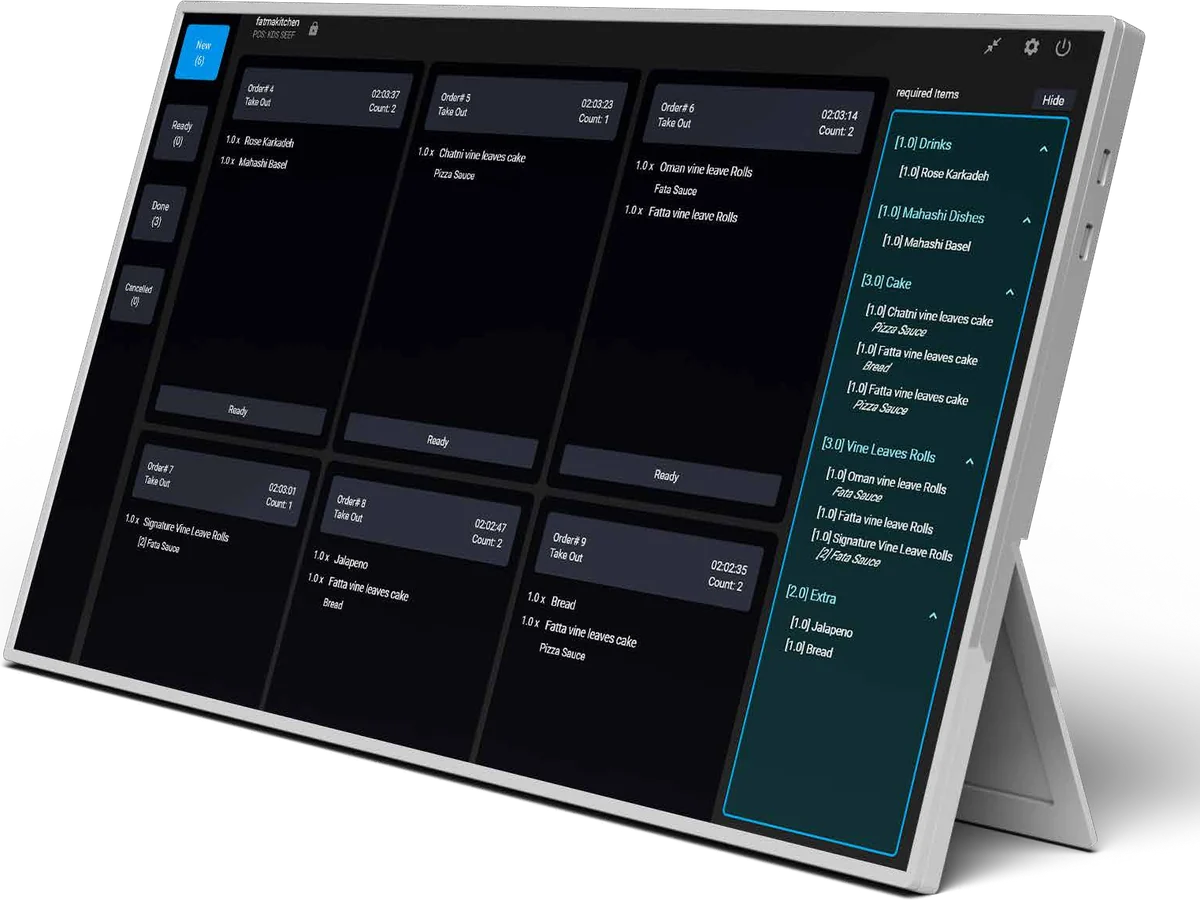
KDS: the kitchen sees every order

  • Orders appear on the kitchen screen the moment they are placed
  • Colour-coded status: New, Delayed, Done, Pick up
  • Preparation time and kitchen performance tracked
  • Fewer mistakes and faster service
KDS: the kitchen sees every order
๐Ÿ“บ

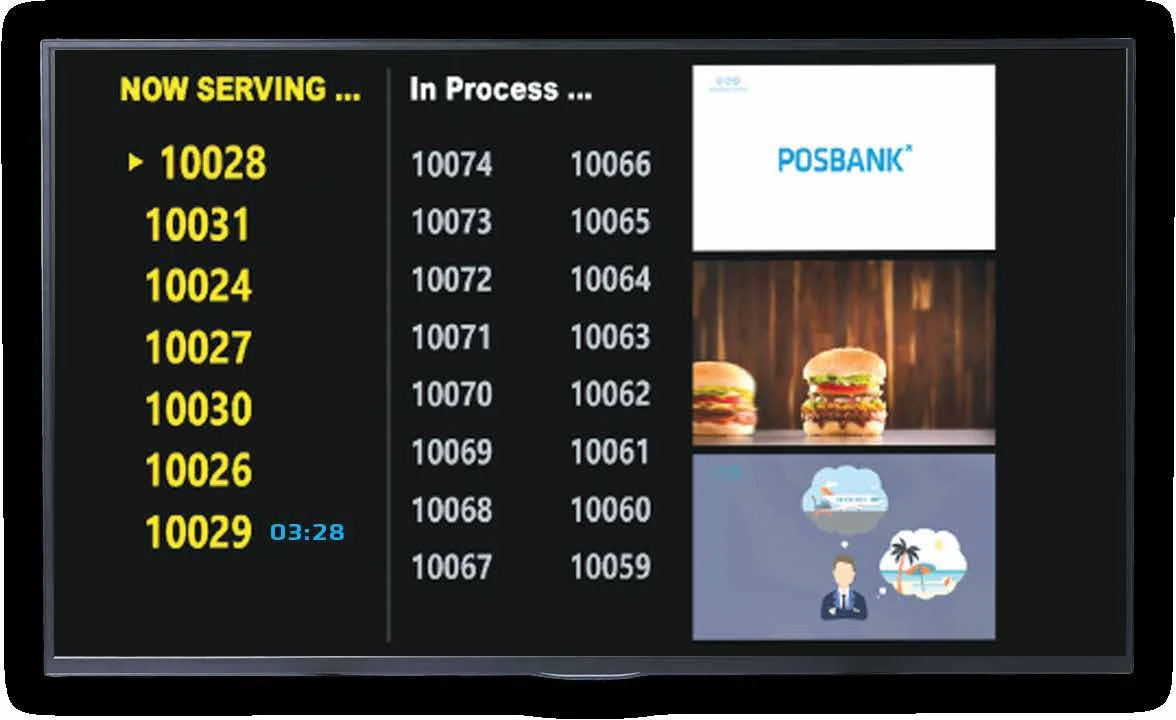
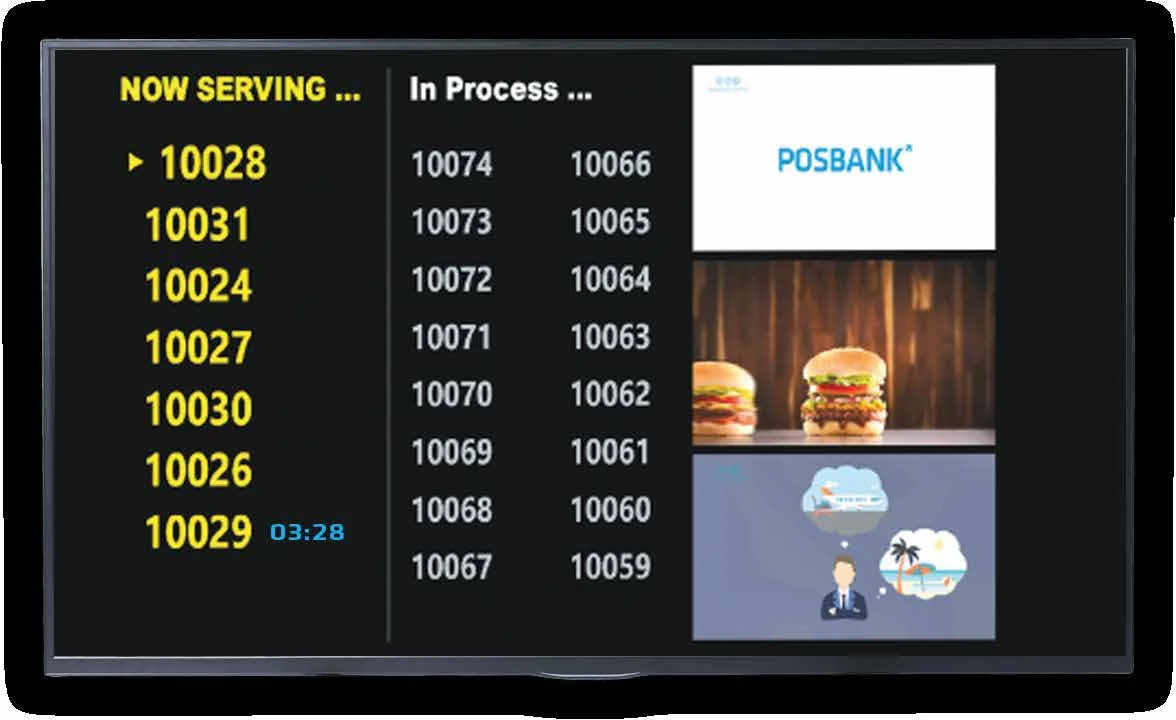
QDS: show the queue to your customers

  • Ready orders and orders in progress on one screen
  • Status is updated from POPS Restaurant
  • Play up to three videos next to the queue
  • Easy to install, linked directly to POPS
QDS: show the queue to your customers
โ˜๏ธ

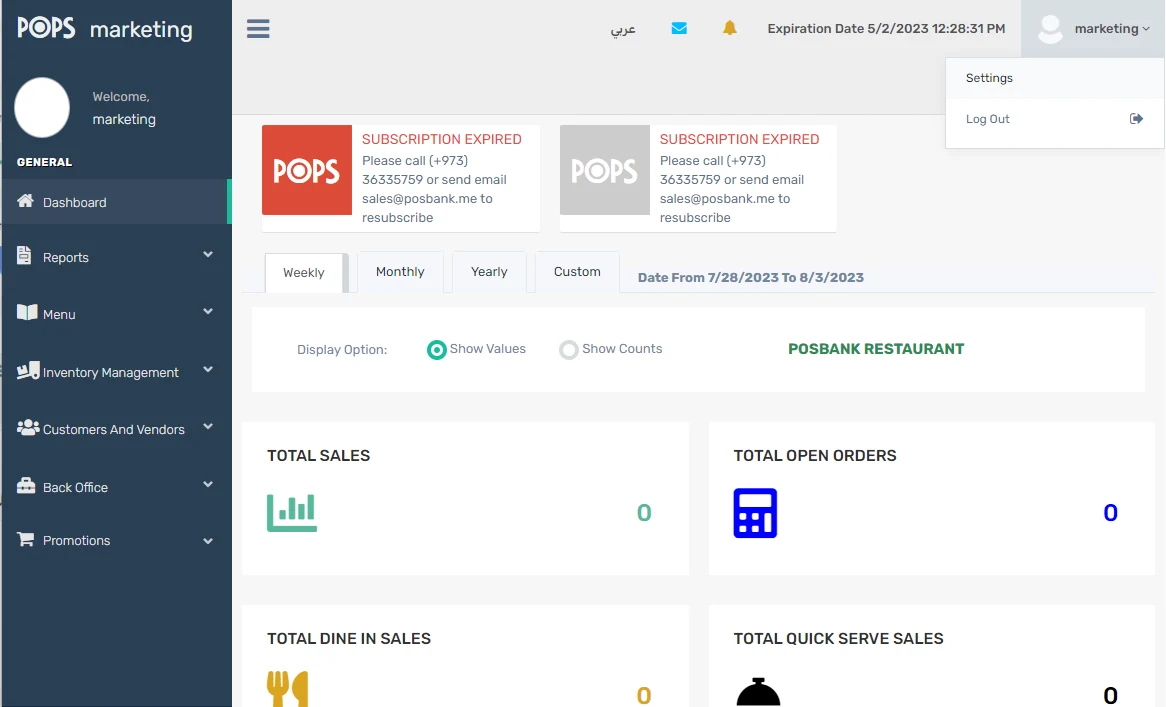
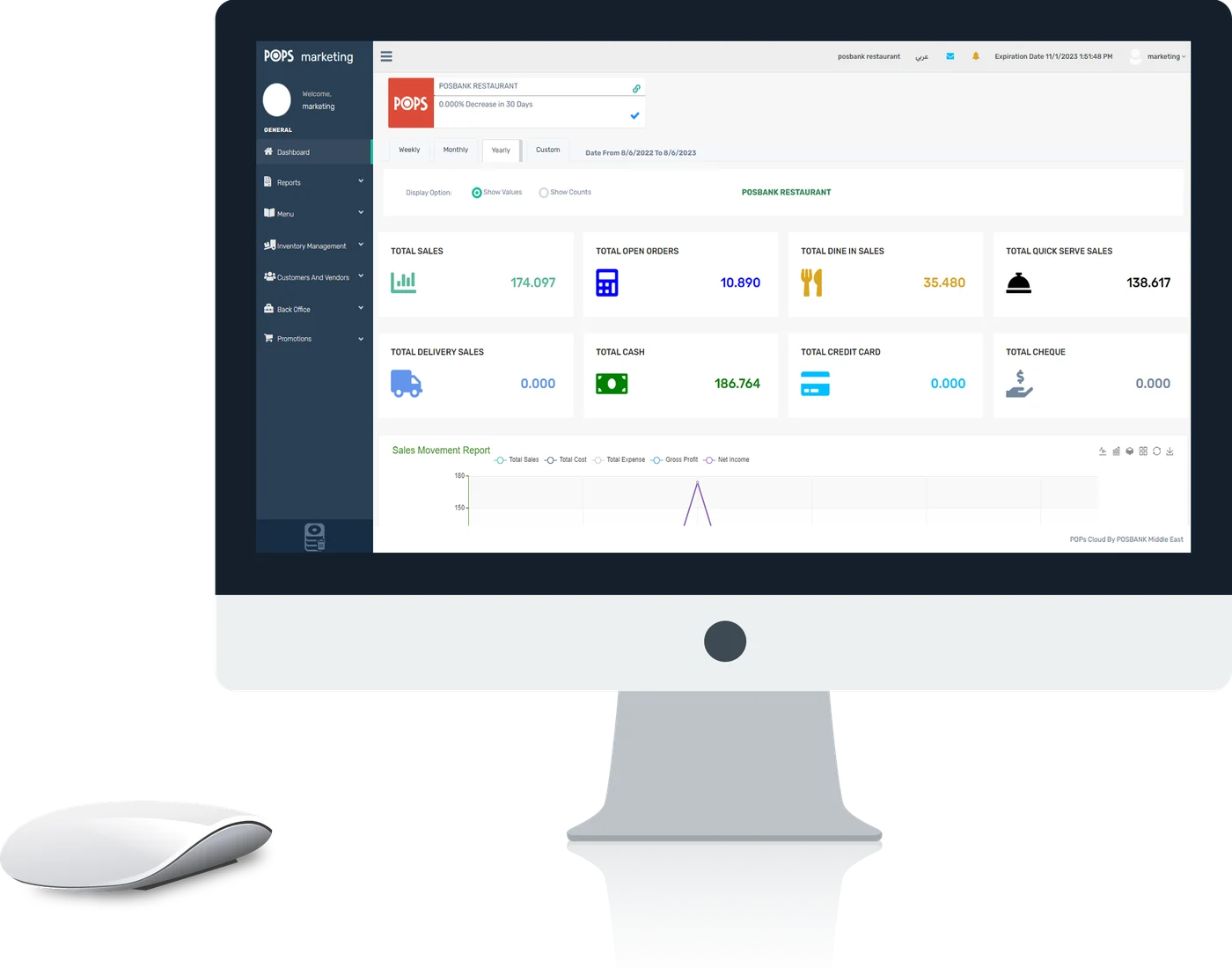
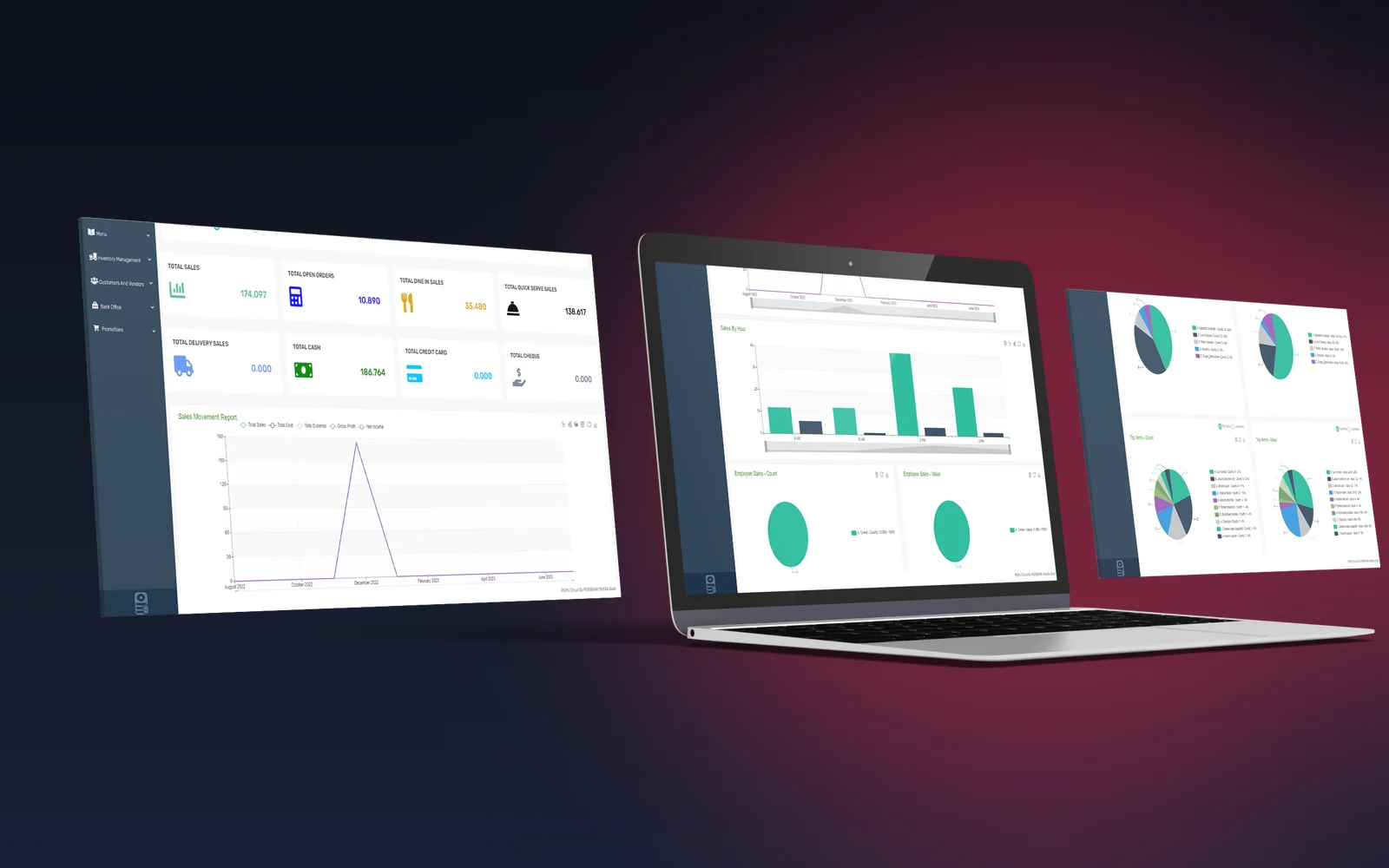
POPS Cloud: run every branch from anywhere

  • Sales, purchase, staff, expense, profit and loss, inventory and tax reports
  • Weekly, monthly, yearly or custom periods, with Excel export
  • Edit menu, prices, costs, coupons and happy hours for all branches
  • Purchase orders, goods receiving and stock transfer between branches
POPS Cloud: run every branch from anywhere
๐Ÿ“ฑ

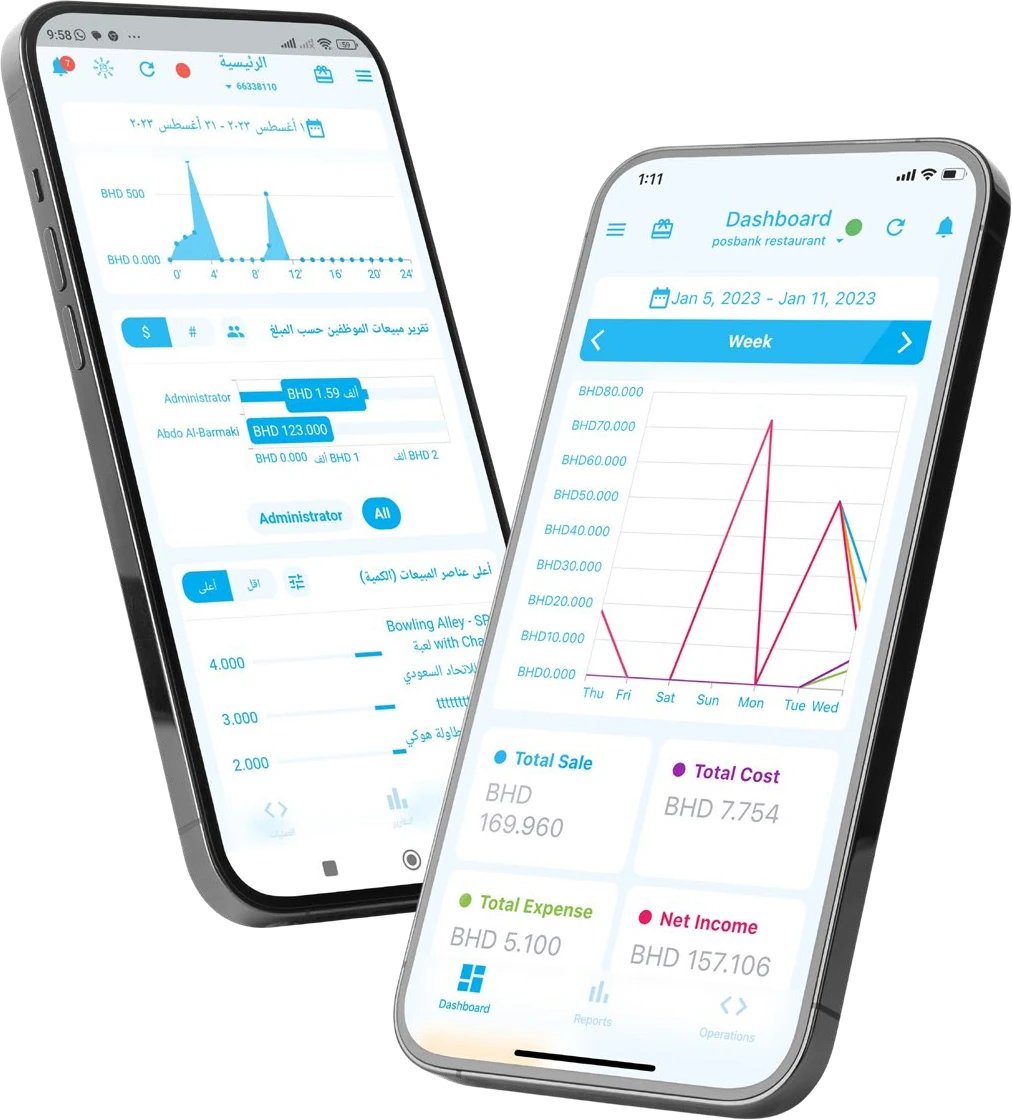
Management app for the owner

  • Live sales and reports for any period
  • Alerts for cancelled and returned orders
  • Change prices and add branches from your phone
  • Password protected, Arabic and English, iOS and Android
Management app for the owner
๐Ÿงพ

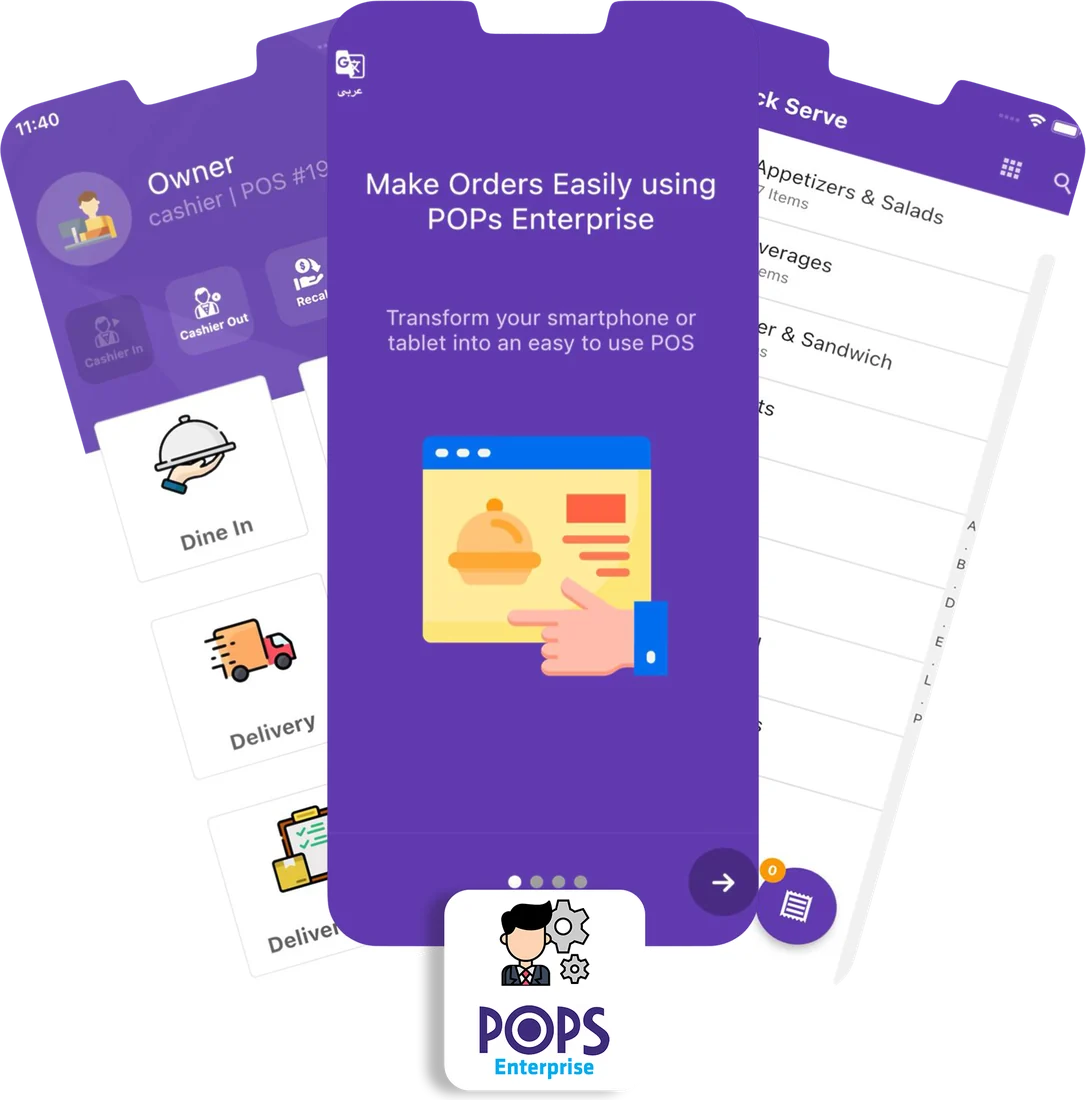
POPS Restaurant+ for waiters

  • Take orders on a phone or tablet and send them to the kitchen
  • Cashier in and out, discounts and payment on the device
  • Works without internet on a local router
  • One-time licence, no annual subscription
POPS Restaurant+ for waiters

And a lot more built in

๐Ÿ’ณ

Many ways to pay

Cash, cards, cheques, coupons, gift cards, installments and customer member points.

๐Ÿ›ต

Delivery partners

Connect delivery providers such as Parcel, Grubtech and Deliverect.

๐Ÿงพ

E-invoicing

Integration with government e-invoicing and tax systems, such as ZATCA in Saudi Arabia and other GCC countries.

๐Ÿฆ

Banks and payment gateways

mada, PayTabs, Ingenico, stc pay, Tap, bank muscat and more.

๐Ÿ“’

Accounting integration

QuickBooks, Odoo, Daftra, Sage 50 and Zoho.

๐Ÿ‘ฅ

Staff management

Schedules, time cards, permission levels per employee, performance and payroll.

๐ŸŽ

Loyalty and offers

Member points, vouchers, coupons, happy hours, discounts and special prices.

๐Ÿ’ฌ

WhatsApp receipts

Send the receipt and let customers track their order on WhatsApp.

๐Ÿ’พ

Google Drive backup

Automatic cloud backups, with restore after a failure.

๐Ÿ–จ๏ธ

Your hardware

Touch screens, receipt and kitchen printers, customer displays, scanners, scales and cash drawers.

How it works

From order to report, in one flow.

01

Take the order

At the counter, on a tablet or a phone with POPS Restaurant+, or from your call centre.

02

The kitchen sees it at once

The order appears on the kitchen display with its status, so nothing gets lost.

03

Customers follow progress

The queue screen shows what is ready, and WhatsApp can send the receipt and tracking.

04

You see the numbers anywhere

POPS Cloud and the Management app show sales, stock and staff reports for every branch.

Who it is for

An edition for your kind of business.

Pick your industry to see which POPS edition fits.

Restaurants and cafรฉs

Dine-in, quick service and delivery on one system.

  • Table map, reservations and waiting list
  • Kitchen display and queue display
  • Delivery providers and a call centre
  • Menu, recipes and modifiers managed from the cloud
See it in a demo
Restaurants and cafรฉs

Retail and supermarkets

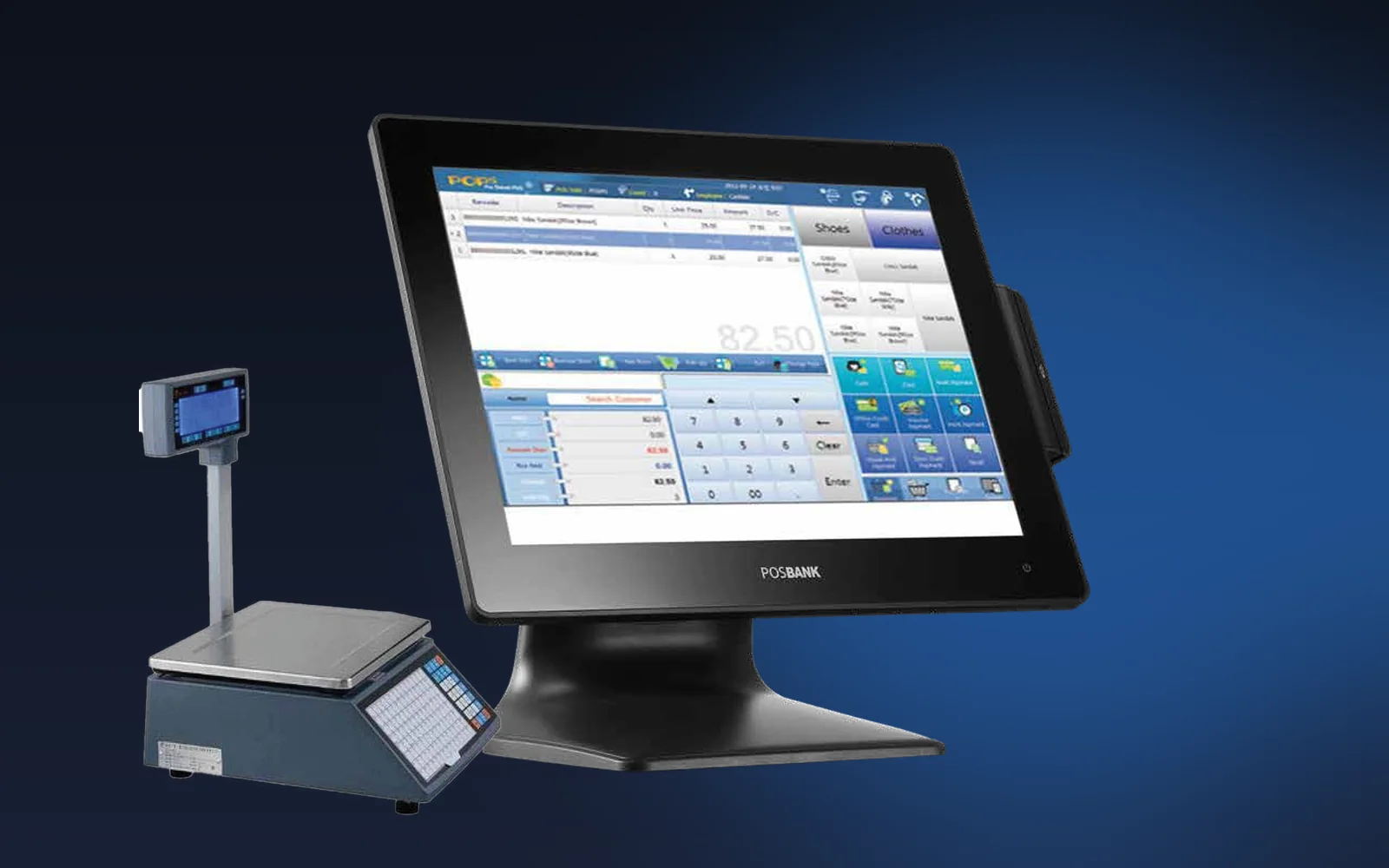
Clothing, perfume, pharmacy, groceries, gifts and more.

  • Sell by piece, in bulk or by weight
  • Label scales such as RONGTA RLS1000 and ACLS 052
  • Barcode labels and size and colour classes
  • Stock transfer between branches and fixed prices for special customers
See it in a demo
Retail and supermarkets

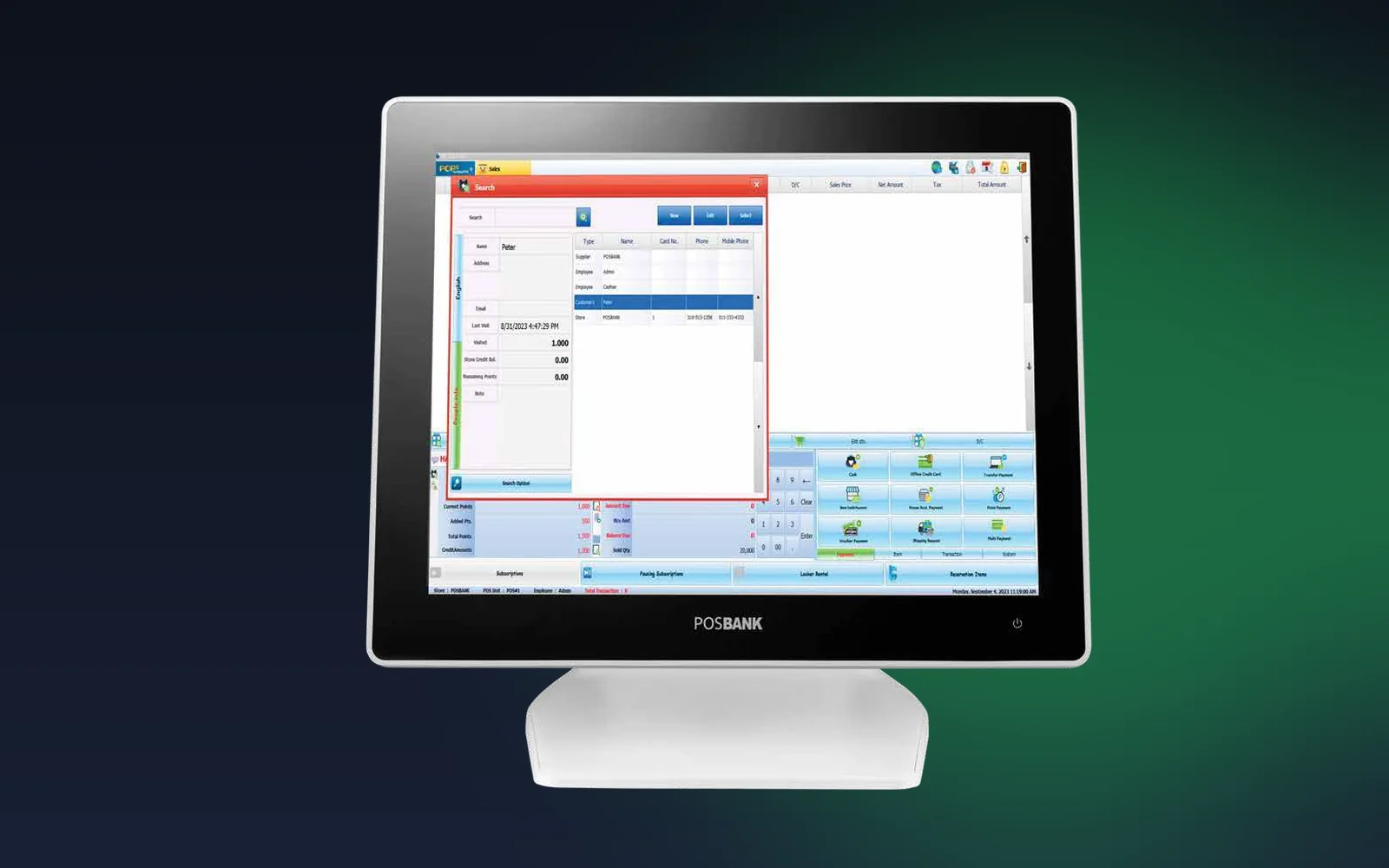
Gyms and fitness clubs

Memberships and the shop at the same counter.

  • Sell subscriptions and pause them when needed
  • Locker rental
  • Sell products such as supplements
  • Reports sent by email and permissions per employee
See it in a demo
Gyms and fitness clubs

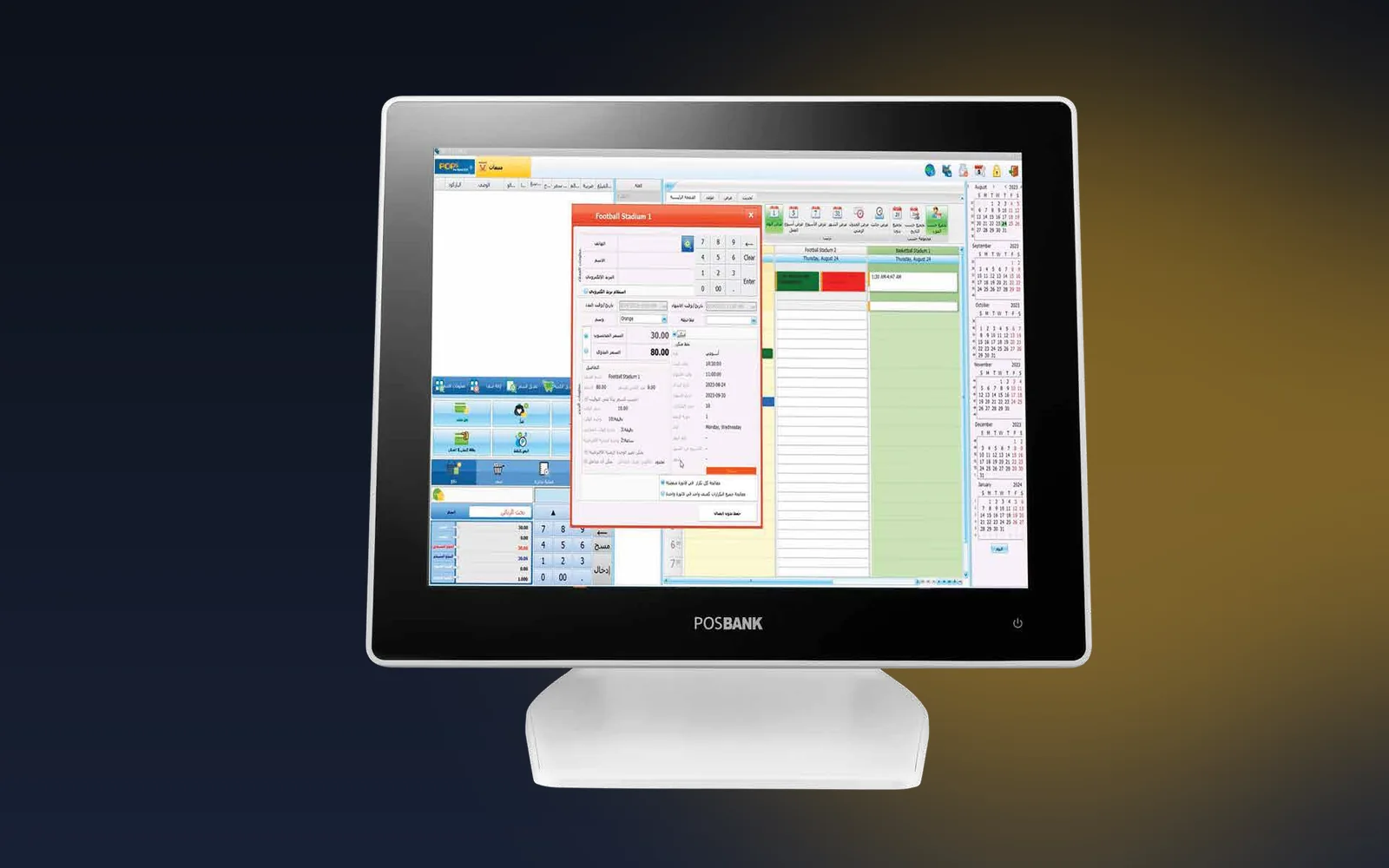
Stadiums and sports clubs

Rent pitches and courts without double bookings.

  • Manage bookings and see booking reports
  • Sale and rental of products
  • Locker rental and tax administration
  • Discounts, membership and a loyalty programme
See it in a demo
Stadiums and sports clubs

Multi-branch chains

One head office, many branches.

  • POPS Cloud for menu, prices, stock and reports of every branch
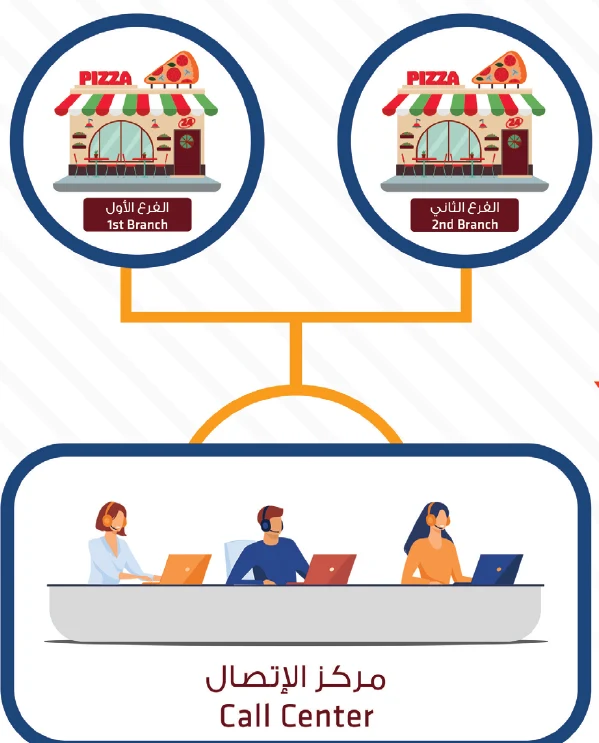
  • Call Center routes delivery orders by address
  • Management app for owners and area managers
  • Stock transfer between branches
See it in a demo
Multi-branch chains
Add-ons and integrations

Grow it the way you grow.

Extend the core platform with connected modules and services.

Call Center Solution
๐Ÿ“ž

Call Center Solution

  • Route delivery orders from one call centre to the right branch by address.
  • Order status monitoring and order status SMS for customers
  • Unlimited branches and agents, orders can be edited
  • Works over the internet, no VPN between branches

Menutree: QR menu and online ordering
๐ŸŒณ

Menutree: QR menu and online ordering

  • Give customers a free QR menu and let them order online.
  • Delivery, pick-up, dine-in and booking
  • Several payment methods
  • Works alongside POPS
๐Ÿ”—

Accounting integration

  • Post your sales into the accounting software you already use.
  • Odoo, QuickBooks, Sage 50, Daftra and Zoho
  • Set up and supported by Mast IT
Specifications

The full picture.

Everything the platform supports, grouped by area. Open a group to see the details.

Payments
CashCredit and debit cardsChequesCouponsGift cardsInstallmentsCustomer member points
Hardware
Touch screenMagnetic stripe readerReceipt printerKitchen printerCustomer displayDual customer display (10.1, 12.1, 15 inch)Cash drawerBarcode scannerWeight scaleCaller IDGuest pagerFingerprint reader
Integrations
Accounting
QuickBooks, Odoo, Daftra, Sage 50, Zoho
Delivery
Parcel, Grubtech, Deliverect
Banking and payments
mada, PayTabs, Ingenico, stc pay, Tap, bank muscat
E-invoicing
ZATCA (Saudi Arabia) and other GCC systems
Reports
SalesStaffPayments and receiptsExpensesProfit and lossInventoryService provider salesPurchasesAuditTaxExcel export
Editions and tools
POPS RestaurantPOPS Restaurant+POPS RetailPOPS GymPOPS StadiumPOPS CloudManagement appKDSQDSCall Center
Apps
Management app
iOS and Android
POPS Cloud
Any device with a browser
POPS Restaurant+
Phone, tablet and PC
Screens

See the real interface.

POPS Cloud dashboard
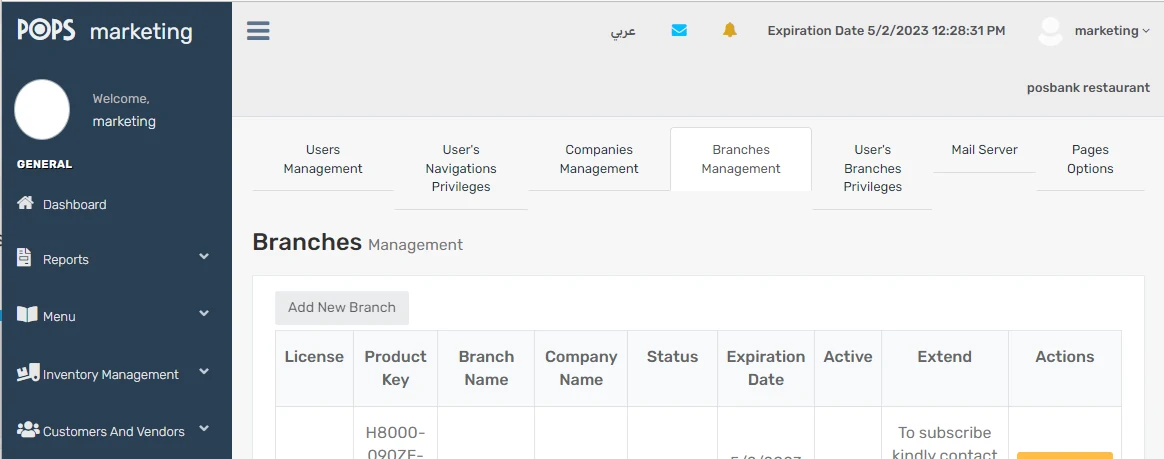
Branch management
Branch management
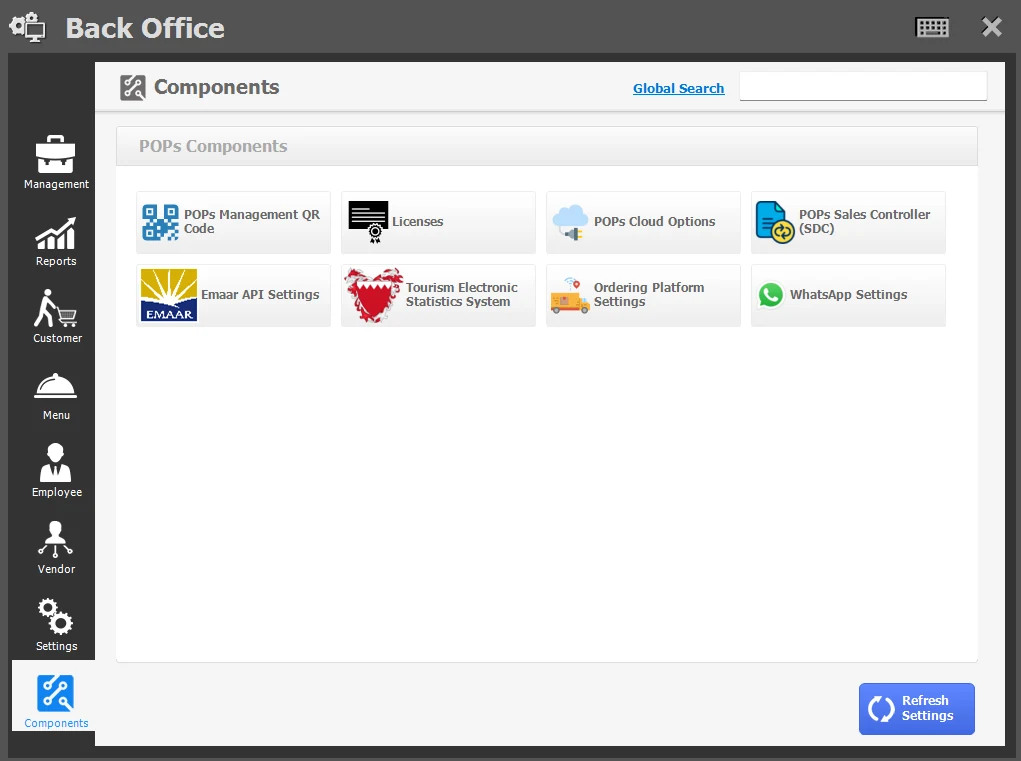
Back office
Back office
Queue display board
Queue display board
FAQ

Questions we hear often.

What is POPS?

POPS is a family of point-of-sale systems from POSBANK: Restaurant, Retail, Gym and Stadium editions, plus Cloud, KDS, QDS, Call Center and a Management app. Mast IT supplies, installs and supports it in Bahrain.

How is POPS different from Snapos?

POPS is a ready-made suite with a dedicated edition for each type of business. Snapos is our smart point of sale connected to accounting and stock in real time. After a short demo we recommend the one that fits your way of working.

Can I manage several branches?

Yes. POPS Cloud gives head office one place to manage the menu, prices, stock and reports of every branch, and the Management app does the same from a phone.

Does it work without internet?

POPS Restaurant+ can work without internet when your devices share one router. Remote features such as POPS Cloud, remote ordering and the Management app need an internet connection.

Is there an annual subscription?

POPS Restaurant+ is sold with a licence and needs no annual subscription. Contact us and we will quote the edition you need.

Can it connect to my accounting and e-invoicing?

POPS integrates with accounting software such as Odoo, QuickBooks, Sage 50, Daftra and Zoho, and with government e-invoicing systems. Tell us what you use and we will confirm the setup.

Which hardware do I need?

Touch terminals, receipt and kitchen printers, scanners, scales and cash drawers work with POPS. We supply, install and support the hardware too.

See POPS running in your business.

Book a short demo. We will show you the real system, set up around the way you work.